


A Beelink SER9 MAX, Ollama, n8n, PostgreSQL, and pgvector power SageBox, my self-hosted AI search system.
I built SageBox, a local retrieval-augmented generation system that searches selected documents and answers questions about them conversationally.
SageBox supports multiple knowledge bases through a WordPress interface. Document retrieval, prompt construction, embeddings, and AI inference run on my own server.
Why I Built SageBox Locally
Privacy was one of my main reasons for building SageBox. Sending internal documents, client materials, or technical procedures to a hosted AI service means that information leaves the local infrastructure.
SageBox processes documents and generates answers on hardware I control. Retrieved passages do not need to be sent to a cloud-based language model.
The SageBox Hardware
SageBox runs on a Beelink SER9 MAX with an AMD Ryzen 7 H 255 processor, eight CPU cores, sixteen threads, Radeon 780M GPU, and 64GB of RAM.
It runs Ubuntu Server 24.04 LTS and has separate 1TB and 4TB NVMe drives. The compact machine runs the database, automation platform, embedding model, and language model together.
Running AI Models With Ollama
Ollama provides SageBox with local language-model and embedding APIs. It uses the machine’s AMD GPU to accelerate inference.
I have tested Llama 3.2 for smaller workloads and Gemma 3 12B for knowledge bases that need a more capable model. EmbeddingGemma creates the vector embeddings used to find relevant passages.
The SageBox Software Stack
The main services include n8n, PostgreSQL 16, pgvector, Ollama, and WordPress.
n8n manages the workflow. PostgreSQL stores the knowledge-base settings, document chunks, metadata, and embeddings. pgvector performs similarity searches, while WordPress provides the user interface.
A Database-Driven Design
Each SageBox knowledge base has its own configuration stored in PostgreSQL. The settings include its language model, embedding model, temperature, retrieval strategy, similarity threshold, candidate limit, and prompt templates.
This allows one n8n workflow to support several knowledge bases. The workflow loads the correct settings from the database instead of relying on hardcoded prompts or model selections.
How SageBox Processes a Question
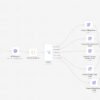
A user selects a knowledge base in WordPress and enters a question. The request is sent to a production n8n webhook.
The workflow verifies the request, loads the knowledge-base configuration, and sends the question to Ollama’s embedding API. PostgreSQL then compares the question embedding with the stored document embeddings.
Retrieving the Evidence
The retrieval query selects passages that are most relevant to the question. Depending on the knowledge base, SageBox can use vector similarity, lexical matching, neighboring chunks, or multiple anchors.
The retrieved passages are added to the prompt. The local language model receives those passages along with instructions loaded from the database.
Generating the Answer
The model is instructed to answer from the supplied context rather than relying on general knowledge. n8n returns the generated response to the WordPress chat interface.
The complete process is:
Question → embedding → retrieval → prompt → local model → answer
The Plato Knowledge Base
The Plato knowledge base contains 180 document chunks. It uses hybrid retrieval with neighboring passages to preserve the context around important sections.
I tested it with questions about the Allegory of the Cave, the Divided Line, Thrasymachus, Cephalus, and the Ring of Gyges.
The Benjamin Franklin Knowledge Base
The Benjamin Franklin knowledge base uses a multi-anchor retrieval strategy. This helps SageBox find information that may appear in several parts of a longer source.
Its prompt allows the model to speak in Franklin’s first-person voice when the retrieved passages describe his actions, experiences, advice, or observations.
The TubeNotes Knowledge Base
TubeNotes serves as a product-support knowledge base. It helped me establish the original working pattern for retrieval and response generation.
This collection demonstrates how SageBox can support technical documentation as well as historical and philosophical sources.
Reducing Unsupported Answers
Each knowledge base has instructions that tell the model to use only the supplied context. If the retrieved material does not support an answer, the model should say that it lacks enough information.
Each prompt can also include rules designed for its subject. The Benjamin Franklin knowledge base, for example, can use a first-person perspective only when the retrieved source material supports it.
Connecting SageBox to WordPress
I built a WordPress interface with a knowledge-base selector, question field, and conversational response area.
The website provides a familiar front end, while the database, retrieval workflow, embeddings, and language models remain on SageBox.
SageBox Performance
Responses are not instantaneous. Depending on the model, retrieved context, and knowledge base, my tests have generally taken about 21 to 27 seconds.
The tradeoff is control. SageBox does not depend on a metered cloud-model API, and I can adjust every part of the retrieval and generation process.
What I Learned
The language model is only one part of a successful RAG system. Chunking, embeddings, retrieval SQL, thresholds, prompts, and source quality all affect the answer.
When SageBox misses information that exists in a document, the model may not be the problem. The relevant chunk may not have been retrieved, or the document may not have been divided effectively.
Why Different Collections Need Different Settings
A philosophical collection, a historical text, and a technical support library do not have the same structure. They should not automatically use the same retrieval strategy or prompt.
Storing the settings in PostgreSQL lets me tune each SageBox knowledge base without rebuilding the workflow.
From Technical Writing to AI Consulting
SageBox is part of my transition from technical writing to AI consulting. Technical writing taught me how to structure information, anticipate user questions, and communicate complex subjects clearly.
Building SageBox adds AI architecture, database design, retrieval engineering, automation, and local model deployment to those skills.
SageBox is more than a chatbot. It is a configurable AI search system that retrieves evidence from selected sources and generates answers with models running on hardware I own.
To try out SageBox visit: aitransformer.online/ai-search/. Then, complete the CAPTCHA to prove you are human.


Thanks a bunch for sharing this with all of us you actually realize
what you’re speaking approximately! Bookmarked. Please additionally consult with my website =).
We could have a hyperlink exchange contract between us xnxx