
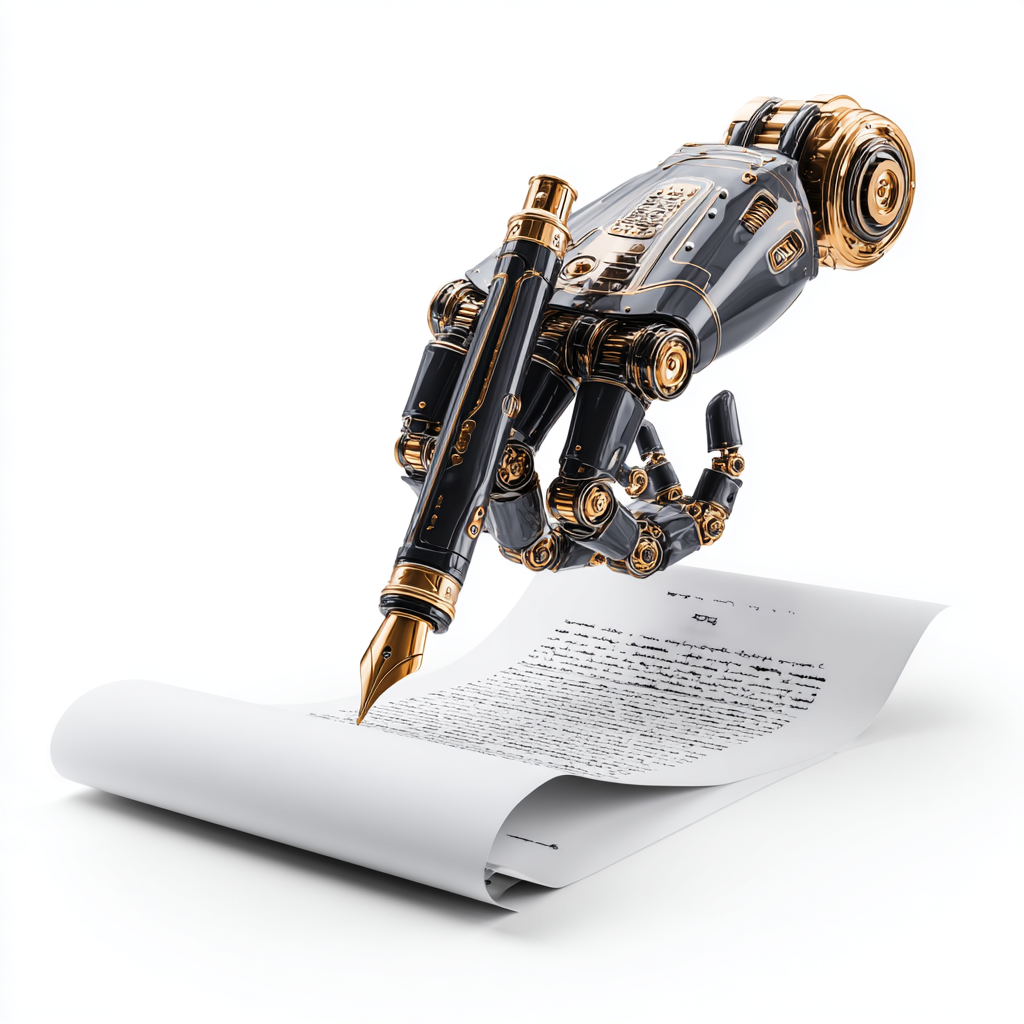

Artificial intelligence has revolutionized the writing industry. Whether you’re a blogger, novelist, technical writer, or content marketer, AI tools can dramatically improve your productivity, quality, and creativity. However, with hundreds of AI writing tools flooding the market, choosing the right ones can feel overwhelming.
That’s where this guide comes in. We’ve reviewed the 50 best AI tools for writers in 2026, carefully organized by category to help you find exactly what you need. Moreover, we’ve evaluated these tools based on features, pricing, ease of use, and real-world performance to help you make informed decisions.
What You’ll Find in This Guide
In this comprehensive resource, you’ll discover practical recommendations for every budget and use case. Additionally, we’ve included comparison tables, pricing breakdowns, and expert tips to maximize your investment. Whether you’re just getting started with AI writing tools or looking to expand your existing toolkit, you’ll find actionable insights throughout this guide.
Quick Navigation
First, jump to the category that interests you most:
• AI Writing Assistants (5 tools)
• Grammar & Style Checkers (5 tools)
• Content Planning & Research (5 tools)
• Paraphrasing & Rewriting (4 tools)
• Creative Writing Tools (4 tools)
• Transcription & Voice Tools (4 tools)
• SEO & Content Optimization (3 tools)
• Plagiarism Detection (3 tools)
• Organization & Productivity (3 tools)
• Specialized Writing Tools (4 tools)
• Email & Communication (2 tools)
How We Evaluated These Tools
To create this guide, we tested dozens of AI writing tools using six comprehensive criteria. Each tool underwent rigorous testing to ensure our recommendations provide genuine value.
Quality of Output
First and foremost, does the AI produce content that actually helps writers create better work? Furthermore, we assessed whether the output requires extensive editing or can be used with minimal revisions. Additionally, we tested each tool across multiple content types to ensure consistent quality.
Ease of Use
Can writers start using it productively without extensive training? Moreover, we evaluated the learning curve and interface design to ensure accessibility for beginners. We also considered whether the tool offers helpful onboarding and documentation.
Value for Money
Does the pricing align with the features and quality provided? In addition, we considered whether free tiers offer genuine value or merely serve as limited trials. We also compared each tool against competitors in the same price range.
Reliability and Performance
Does it work consistently without frequent bugs or downtime? Similarly, we tested processing speed and accuracy across different content types. Reliable performance matters when you’re working under deadline pressure.
Support and Community
Can users get help when they encounter problems? Moreover, we evaluated documentation quality, response times, and the availability of community resources. Strong support infrastructure indicates a company committed to user success.
Innovation and Updates
Is the company actively improving the product with updates? Consequently, we prioritized tools with regular feature additions and responsive development teams. The AI landscape evolves rapidly, so continuous improvement is essential.
AI Writing Assistants

1. ChatGPT Plus
Best For: Writers who need a multi-purpose AI assistant for various content types
Primary Use: General writing, brainstorming, content generation
Pricing: $20/month
Strengths:
Versatile, conversational, excellent for ideation and drafting
Limitations:
May be verbose at times, requires fact-checking, occasional inaccuracies
2. Claude Pro
Best For: Technical writers, researchers, and content strategists working with complex material
Primary Use: Long-form content, technical writing, analysis
Pricing: $20/month
Strengths:
Handles longer documents (200K context), nuanced understanding, excellent for complex topics
Limitations:
More expensive for API use, newer so fewer integrations
3. Jasper AI
Best For: Marketing teams and content agencies needing branded content at scale
Primary Use: Marketing copy, blog posts, social media content
Pricing: From $39/month
Strengths:
Extensive template library, brand voice training, SEO optimization tools, team collaboration
Limitations:
Higher cost, learning curve for advanced features
4. Copy.ai
Best For: Small businesses and solopreneurs creating marketing content
Primary Use: Marketing copy, product descriptions, ad copy
Pricing: From $36/month
Strengths:
User-friendly interface, good template selection, affordable pricing
Limitations:
Limited long-form capabilities, output quality varies
5. Writesonic
Best For: Bloggers and content marketers on a budget
Primary Use: Blog posts, landing pages, product descriptions
Pricing: From $16/month
Strengths:
SEO optimization features, generates multiple outputs, includes AI image generation
Limitations:
Quality can be inconsistent, occasionally awkward phrasing
Grammar & Style Checkers
1. Grammarly Premium
Best For: Professional writers who need comprehensive editing support
Primary Use: Grammar, spelling, style improvement, tone detection
Pricing: $12/month (annual plan)
Strengths:
Real-time checking across platforms, tone detection, plagiarism checker, extensive integrations
Limitations:
Sometimes overly prescriptive, expensive for individual users
2. ProWritingAid
Best For: Fiction writers and novelists who want in-depth analysis
Primary Use: Deep editing, style analysis, detailed reports
Pricing: $120/year or $399 lifetime
Strengths:
20+ writing reports, lifetime license option, integrates with major platforms
Limitations:
Interface can feel overwhelming, slower than competitors
3. Hemingway Editor
Best For: Writers focused on clear, concise prose
Primary Use: Clarity and readability improvement
Pricing: $19.99 one-time
Strengths:
Simple, focused interface, readability scores, one-time purchase
Limitations:
No grammar checking, lacks advanced features
4. LanguageTool
Best For: Multilingual writers and privacy-conscious users
Primary Use: Multilingual grammar and style checking
Pricing: Free or $4.99/month
Strengths:
Supports 30+ languages, privacy-focused, affordable, open-source option
Limitations:
Less sophisticated than Grammarly, fewer integrations
5. Sapling
Best For: Business teams and customer support departments
Primary Use: Team writing quality and consistency
Pricing: From $25/month
Strengths:
Team snippets, autocomplete features, conversation quality insights
Limitations:
Primarily focused on business communication
Content Planning & Research
1. Perplexity AI
Best For: Researchers, journalists, and fact-checkers
Primary Use: Research, fact-checking, source finding
Pricing: Free or $20/month Pro
Strengths:
Cites sources automatically, provides current information, fast responses
Limitations:
Limited creative writing capability, sometimes misses nuance
2. Frase
Best For: SEO content writers and digital marketers
Primary Use: SEO content briefs, research, optimization
Pricing: From $14.99/month
Strengths:
Competitor analysis, SERP research, content scoring, AI writing
Limitations:
Steep learning curve, requires SEO knowledge
3. MarketMuse
Best For: Content teams and agencies with serious budgets
Primary Use: Content strategy, topic research, optimization
Pricing: From $149/month
Strengths:
AI-driven content strategy, competitive analysis, topic modeling
Limitations:
Enterprise pricing, complex for beginners
4. Clearscope
Best For: SEO professionals and content marketers
Primary Use: SEO content optimization and grading
Pricing: From $170/month
Strengths:
Excellent keyword research, content grading, integration with Google Docs
Limitations:
Expensive, requires SEO expertise
5. Surfer SEO
Best For: Bloggers and content marketers focused on organic traffic
Primary Use: Content optimization, keyword research, SERP analysis
Pricing: From $69/month
Strengths:
Content editor, outline builder, more affordable than competitors
Limitations:
May feel technical for beginners
Paraphrasing & Rewriting
1. Quillbot
Best For: Students and academic writers
Primary Use: Paraphrasing, summarizing, citation generation
Pricing: $9.95/month
Strengths:
Multiple paraphrasing modes, summarizer tool, citation generator
Limitations:
Free version very limited, can produce awkward phrasing
2. Wordtune
Best For: Non-native English speakers and business writers
Primary Use: Rewriting suggestions, tone adjustment
Pricing: $9.99/month
Strengths:
Context-aware suggestions, multiple rewrite options, tone controls
Limitations:
Limited free version, can over-edit content
3. Spinbot
Best For: Quick, basic paraphrasing tasks only
Primary Use: Article spinning and paraphrasing
Pricing: Free
Strengths:
Free to use, fast processing, simple interface
Limitations:
Lower quality output, very limited features
4. Paraphrase Online
Best For: Occasional paraphrasing needs
Primary Use: Text rewriting and variation
Pricing: Free
Strengths:
Free, no registration required, multiple paraphrasing modes
Limitations:
Basic functionality, ads on free version
Creative Writing Tools
1. Sudowrite
Best For: Novelists and fiction writers
Primary Use: Fiction writing, story development, brainstorming
Pricing: From $19/month
Strengths:
Specialized for creative writing, story tools, character development features
Limitations:
Expensive, primarily focused on fiction
2. NovelAI
Best For: Fantasy, sci-fi, and genre fiction writers
Primary Use: Story generation, world-building, character development
Pricing: From $10/month
Strengths:
Customizable AI models, integrated image generation, flexible
Limitations:
Requires subscription, niche appeal
3. Rytr
Best For: Social media managers and marketers
Primary Use: Short-form content, social media, emails
Pricing: From $9/month
Strengths:
Very affordable, simple interface, multiple use cases
Limitations:
Limited long-form capability, basic features
4. Shortly AI
Best For: Writers who want simplicity over features
Primary Use: Story writing, blog posts, expanding ideas
Pricing: $79/month
Strengths:
Simple, command-based interface, unlimited generation
Limitations:
Limited features compared to competitors, high price
Transcription & Voice Tools
1. Otter.ai
Best For: Journalists, podcasters, and meeting participants
Primary Use: Meeting transcription, note-taking, interviews
Pricing: Free or from $8.33/month
Strengths:
Real-time transcription, speaker identification, searchable transcripts, collaboration
Limitations:
Accuracy varies with accents, background noise issues
2. Descript
Best For: Podcasters, video creators, and content producers
Primary Use: Audio/video editing, transcription, overdubbing
Pricing: Free or from $12/month
Strengths:
Edit audio by editing text, AI overdub feature, screen recording
Limitations:
Learning curve, resource-intensive software
3. Rev AI
Best For: Professional transcription needs and media production
Primary Use: Accurate transcription and captioning
Pricing: $0.25/minute
Strengths:
High accuracy rates, fast turnaround, API available, multiple languages
Limitations:
Pay per minute model can get expensive
4. Trint
Best For: Professional media organizations and research teams
Primary Use: Transcription for journalists and researchers
Pricing: From $48/month
Strengths:
Collaborative editing, translation features, verification tools
Limitations:
Expensive for high volume use
SEO & Content Optimization
1. Semrush Writing Assistant
Best For: SEO professionals already using Semrush
Primary Use: SEO optimization, readability, originality checking
Pricing: Included with Semrush ($119.95+/month)
Strengths:
Integrated with Semrush ecosystem, real-time suggestions, multiple checks
Limitations:
Requires Semrush subscription, can be expensive
2. Yoast SEO
Best For: WordPress bloggers and website owners
Primary Use: WordPress SEO optimization
Pricing: Free or $99/year Premium
Strengths:
User-friendly, content analysis, snippet preview, schema markup
Limitations:
WordPress only, can be overly rigid
3. Rank Math
Best For: WordPress users wanting more advanced features than Yoast
Primary Use: WordPress SEO and content optimization
Pricing: Free or from $59/year
Strengths:
Feature-rich free version, schema markup, Google Search Console integration
Limitations:
WordPress only, can be overwhelming with features
Plagiarism Detection

1. Copyscape
Best For: Content publishers, agencies, and website owners
Primary Use: Plagiarism detection for web content
Pricing: $0.03-0.05 per search
Strengths:
Comprehensive web database, batch search capability, API available
Limitations:
Pay per search model, can get expensive
2. Turnitin
Best For: Educational institutions and academic settings
Primary Use: Academic plagiarism detection
Pricing: Institutional licensing
Strengths:
Extensive academic database, detailed similarity reports, widely trusted
Limitations:
Institutional licensing only, expensive for individuals
3. Grammarly Plagiarism Checker
Best For: Professional writers already using Grammarly
Primary Use: Originality checking integrated with writing
Pricing: Included in Premium
Strengths:
Convenient integration with Grammarly, checks billions of web pages
Limitations:
Requires Premium subscription ($12/month)
Organization & Productivity
1. Notion AI
Best For: Writers wanting an all-in-one workspace and knowledge management
Primary Use: Note-taking, writing assistance, organization
Pricing: $10/month for AI add-on
Strengths:
Integrated all-in-one workspace, database capabilities, collaboration
Limitations:
Setup may be complex, separate AI subscription required
2. Obsidian with AI plugins
Best For: Researchers and knowledge workers building personal wikis
Primary Use: Knowledge management, note-taking, linking ideas
Pricing: Free (AI plugins vary)
Strengths:
Local file storage, powerful linking system, highly customizable
Limitations:
Steep learning curve, requires plugin setup
3. Scrivener
Best For: Novelists and long-form writers needing organization
Primary Use: Long-form writing organization and management
Pricing: $49 one-time
Strengths:
Powerful organization tools, research storage, one-time purchase
Limitations:
No native AI (requires plugins or external tools)
Specialized Writing Tools
1. Lucidchart
Best For: Technical writers creating flowcharts and diagrams
Primary Use: Diagramming and visual content creation
Pricing: From $7.95/month
Strengths:
Easy collaboration, extensive template library, multiple integrations
Limitations:
Not AI-focused, subscription required for full features
2. Canva AI
Best For: Writers creating blog graphics and social media content
Primary Use: Visual content creation with AI features
Pricing: Free or $12.99/month Pro
Strengths:
Extensive templates, AI image generation, extremely user-friendly
Limitations:
Free version has limitations, can be generic-looking
3. Tango
Best For: Technical writers documenting software processes
Primary Use: Process documentation with automatic screenshots
Pricing: Free or from $20/month
Strengths:
Automatic screenshot and annotation capture, time-saving
Limitations:
Very niche use case, limited to process documentation
4. Readable
Best For: Content teams prioritizing clarity and accessibility
Primary Use: Readability analysis and scoring
Pricing: From $4/month
Strengths:
Multiple readability formulas, team collaboration, API available
Limitations:
Niche tool, requires ongoing subscription
Email & Communication
1. Lavender
Best For: Sales professionals and cold outreach campaigns
Primary Use: Email writing and optimization for sales
Pricing: From $29/month
Strengths:
Email scoring, personalization insights, coaching features
Limitations:
Primarily sales-focused, subscription required
2. Flowrite
Best For: Professionals writing numerous emails daily
Primary Use: Email and message writing assistance
Pricing: From $5/month
Strengths:
Template library, tone adjustment, fast composition
Limitations:
Limited to email/messaging, not for long-form
Quick Comparison: Top 10 AI Writing Tools
To help you decide quickly, here’s a side-by-side comparison of the most popular AI writing tools:
| Tool | Pricing | Best For | Key Features |
| ChatGPT Plus | $20/mo | General Writing | Conversational AI, brainstorming, versatile content generation |
| Jasper AI | $39/mo | Marketing | Brand voice, templates, SEO optimization, team collaboration |
| Grammarly Premium | $12/mo | Editing | Grammar check, tone detection, plagiarism detection, clarity suggestions |
| Claude Pro | $20/mo | Long-form | 200K context window, nuanced understanding, technical writing excellence |
| Sudowrite | $19/mo | Fiction | Story development, character tools, brainstorming, creative rewriting |
| Frase | $15/mo | SEO Content | Content briefs, optimization, SERP research, AI writing assistance |
| Copy.ai | $36/mo | Quick Copy | Templates, workflows, multiple outputs, user-friendly interface |
| ProWritingAid | $120/yr | Deep Editing | 20+ reports, style analysis, integrations, lifetime option available |
| Otter.ai | $8.33/mo | Transcription | Real-time transcription, speaker ID, search, collaboration tools |
| Notion AI | $10/mo | Organization | Integrated workspace, AI writing, databases, knowledge management |
How to Choose the Right AI Writing Tool
With so many options available, selecting the right tool can feel overwhelming. However, this practical framework will guide your decision-making process.
1. Identify Your Primary Need
Clearly, different tools excel at different tasks. Therefore, matching your main use case to the right category is essential:
Blog and Article Writing: Tools such as Jasper, Copy.ai, or ChatGPT Plus provide versatile content generation with SEO features. Additionally, they offer template libraries to speed up your workflow.
Fiction and Creative Writing: Conversely, Sudowrite and NovelAI are specifically designed for story development and creative projects. These platforms understand narrative structure and character development.
Technical Documentation: Meanwhile, Claude Pro handles complex, technical content better than most alternatives. Its superior context window and nuanced understanding make it ideal for detailed documentation.
SEO-Focused Content: Similarly, Frase, Surfer SEO, and Clearscope combine AI writing with comprehensive optimization tools. Consequently, you can create content that ranks while you write.
Editing and Polish: Finally, Grammarly and ProWritingAid offer the most thorough grammar, style, and clarity checking available today.
2. Set Your Budget
AI writing tools range from free to enterprise pricing. Therefore, understanding what to expect at each level helps you make informed decisions:
Free Options: First, consider ChatGPT free version, Grammarly free, Notion AI trial, and Otter.ai free tier. These let you explore AI writing without any financial investment.
$10-20/month: Next, ChatGPT Plus ($20), Claude Pro ($20), Grammarly Premium ($12), Writesonic ($16), and Quillbot ($9.95) offer excellent value for money.
$30-50/month: Additionally, Jasper ($39), Copy.ai ($36), and Lavender ($29) provide more sophisticated features and higher usage limits.
$100+/month: Finally, professional tools like MarketMuse ($149), Clearscope ($170), and Semrush ($119.95) target content teams and agencies with serious needs.
3. Check Integration Requirements
Consider your existing workflow and integration needs. For instance:
• WordPress users should look at Yoast SEO, Rank Math, or tools with WordPress plugins
• Meanwhile, Google Docs users benefit from Grammarly, Wordtune, or tools with browser extensions
• Similarly, Microsoft Word users should check compatibility with ProWritingAid and similar tools
• Additionally, developers may want API access from OpenAI, Anthropic, or similar providers
• Finally, teams need collaboration features found in Jasper, Notion AI, or Sapling
4. Test Before Committing
Noteably, most AI writing tools offer free trials or freemium versions. Therefore, before purchasing, consider these steps:
• First, test 2-3 tools in your target category
• Then, evaluate output quality with your actual content needs
• Next, check processing speed and reliability
• Additionally, assess the user interface and learning curve
• Moreover, reach out to customer support to gauge responsiveness
• Finally, confirm it integrates smoothly with your workflow
Common Mistakes When Using AI Writing Tools
Unfortunately, even powerful AI tools can produce disappointing results if misused. Therefore, avoid these frequent pitfalls to maximize your success:
Publishing AI Output Without Review
AI-generated content should always serve as a first draft, not a final product. Instead, review carefully for accuracy, tone consistency, factual correctness, and alignment with your voice. Furthermore, AI can miss nuances, context, and may occasionally generate inaccurate information.
Providing Insufficient Context
Regretably, generic prompts yield generic results. Therefore, be specific about your target audience, desired tone, content length, key points to cover, and intended purpose. Consequently, the more detailed your input, the better the AI output you’ll receive.
Skipping Fact-Checking
Furthrermore, AI can confidently state incorrect information or outdated facts. As a result, always verify statistics, claims, technical details, and any factual assertions. This is especially important for professional or published content.
Over-Relying on AI
Moreover, AI tools augment human creativity; they don’t replace it. Instead, your unique perspective, expertise, experiences, and voice create content value. Therefore, use AI to enhance productivity, not as a substitute for original thinking.
Neglecting Plagiarism Checks
While rare, AI can occasionally produce text similar to existing published content. Consequently, run important content through plagiarism checkers like Copyscape or Grammarly’s plagiarism detector before publishing.
Ignoring Tool-Specific Limitations
Similarly, each AI tool has distinct strengths and weaknesses. Therefore, understand what your chosen tool does well and where it struggles. For example, don’t expect a grammar checker to excel at creative storytelling, or a content generator to catch subtle style issues.
The Future of AI Writing Tools
The AI writing landscape continues evolving rapidly. Consequently, here are key trends shaping the future:
Multimodal Capabilities
AI tools increasingly work across text, images, audio, and video. Therefore, expect seamless integration where you can generate written content alongside visual elements, edit videos by editing transcripts, and create comprehensive multimedia content from single prompts.
Advanced Personalization
Future AI will better learn individual writing styles, brand voices, and preferences. As a result, tools will adapt to your patterns over time, producing output that increasingly matches your natural voice without extensive editing.
Real-Time Collaboration
More tools will enable Google Docs-style collaborative AI editing. Consequently, teams can work simultaneously with AI assistance, see each other’s changes in real-time, and benefit from shared AI suggestions.
Industry-Specific Models
Specialized AI models trained for specific fields—such as legal writing, medical documentation, technical manuals, and academic research—will offer deeper expertise. Moreover, these models will use industry-appropriate language better than general-purpose tools.
Improved Fact-Checking
Built-in real-time fact-checking with source citations will become standard. For instance, tools like Perplexity AI demonstrate this direction. Subsequently, we’ll see more AI that automatically verifies claims and provides references.
Local AI Options
Privacy-conscious writers will have more powerful options to run AI models locally on their devices. Consequently, this eliminates concerns about cloud storage of sensitive content while maintaining performance.
Better Context Understanding
As context windows expand beyond 200K tokens, AI will handle entire books, comprehensive research databases, and complex multi-document projects. Furthermore, it will maintain coherence and consistency across these larger contexts.
Frequently Asked Questions
Will AI writing tools replace human writers?
No, they cannot. AI tools enhance human creativity and productivity but cannot replicate authentic human insight, expertise, and voice. Instead, they serve as powerful assistants that handle routine tasks and generate initial drafts. Consequently, this allows writers to focus on strategy, creativity, and adding unique value that only humans can provide.
Does Google penalize AI content?
Actually, Google doesn’t penalize content based on creation method. Rather, their algorithms focus on quality, expertise, and user value regardless of whether humans or AI wrote the content. Therefore, AI-generated content that provides genuine value and expertise performs well in search rankings.
Which AI writing tool is best for beginners?
For newcomers, ChatGPT’s free version or Copy.ai are excellent starting points. These platforms are user-friendly, versatile, and have minimal learning curves. Therefore, start with free versions to understand AI writing capabilities. Then, once you’ve identified your needs, you can invest in specialized tools.
Is using multiple AI writing tools recommended?
In fact, many professional writers use 2-3 complementary tools. Typically, this includes one for content generation (such as ChatGPT, Jasper, or Claude), another for editing (like Grammarly or ProWritingAid), and sometimes a specialized tool for their niche. However, start with one tool and expand only when you have a clear need.
What’s a reasonable budget for AI writing tools?
Generally, a solid setup costs $30-60 monthly. For example, you might combine ChatGPT Plus ($20) + Grammarly ($12) + a specialized tool ($20-30). Nevertheless, start with free versions first. Then, upgrade as you identify which tools provide the most value for your specific needs.
Are free AI writing tools worth using?
Absolutely. In particular, Free versions of ChatGPT, Grammarly, Notion AI, and Otter.ai offer substantial capabilities. Moreover, they’re perfect for testing AI writing, learning best practices, or supporting writers with limited budgets. Indeed, many professional writers start with free tools before upgrading.
How do I maintain my writing voice when using AI?
First, use AI as a first draft generator, then edit extensively to match your voice. Additionally, provide detailed prompts describing your style. Furthermore, tools like Jasper allow training on your existing content. However, always review and revise AI output to ensure it authentically represents your perspective and tone.
Are AI tools acceptable for academic writing?
Many academic institutions have specific AI policies. Tools like Quillbot, Grammarly, and ChatGPT can assist with brainstorming, outlining, and editing. However, direct use for writing assignments may violate academic integrity policies. Therefore, always check your institution’s guidelines and use AI transparently.
Conclusion: Building Your AI Writing Toolkit
The AI writing revolution offers unprecedented opportunities to enhance productivity, quality, and creativity. Whether you’re a blogger, novelist, marketer, or technical writer, specialized AI tools can transform your writing process.
Making Your Selection
Ultimately, success with AI writing tools comes from choosing solutions aligned with your specific needs and budget. Therefore, start by identifying your primary use case—whether that’s blog content, fiction, technical documentation, or SEO optimization. Then, test free versions or trials of 2-3 tools in your category before committing to paid subscriptions.
Finding the Right Balance
Overall, remember that the best tool is one you’ll use consistently. Indeed, a simpler tool that fits seamlessly into your workflow often beats a feature-rich option that sits unused. Moreover, AI works best as your writing assistant, amplifying your expertise and creativity rather than replacing them.
Looking Ahead
As AI technology continues advancing, these tools will become even more powerful and specialized. Consequently, the writers who thrive will be those who learn to collaborate effectively with AI. Specifically, they’ll use it to handle routine tasks while focusing their human creativity on strategy, insight, and authentic voice.
Your Next Steps
Start small, experiment with different tools, and gradually build your AI writing stack based on what actually improves your work. Ultimately, the future of writing is human creativity enhanced by AI capabilities—and that future is available today.
About the Author
Want to master AI-assisted technical writing? Check out our comprehensive guide: Technical Writing in the AI Era—a practical handbook for writers adapting to AI tools and workflows.Ul


Pingback: ChatGPT vs Claude vs Gemini: Which AI is Best for Technical Writing? - AI Transformer Online